👋 Hey there, I’m Lenny. Each week, I tackle reader questions about building product, driving growth, and accelerating your career. For more: Lennybot | Lenny’s Podcast | How I AI | Lenny’s Reads | Favorite AI and PM courses | Favorite public speaking course**
Subscribers get 19 premium products for free for one year: Lovable, Replit, Gamma, n8n, Bolt, Devin, Wispr Flow, Descript, Linear, PostHog, Superhuman, Granola, Warp, Perplexity, Raycast, Magic Patterns, Mobbin, ChatPRD + Stripe Atlas (terms apply). Subscribe now.**

Ever since my chat with Dan Shipper, I couldn’t stop thinking about his hot take that Claude Code was the most underrated AI tool for non-technical people. A few weeks ago, I finally started playing around with it, and holy sh*t, we’ve all been sleeping on Claude Code.
The key is to forget that it’s called Claude Code and instead think of it as Claude Local or Claude Agent. It’s essentially a super-intelligent AI running locally1, able to do stuff directly on your computer—from organizing your files and folders to enhancing image quality, brainstorming domain names, summarizing customer calls, creating Linear tickets, and, as you’ll see below, so much more.
Since it’s running on your machine, it can handle much larger files, run much longer than the cloud-based Claude/ChatGPT/Gemini chatbots, and it’s fast and versatile. Claude Code is basically Claude with superpowers.
To inspire your own ideas, I’ve collected 50 of my favorite and most creative ways non-technical people are using Claude Code in their work and life. This list includes my own favorite use cases, and the best examples y’all shared with me on X and LinkedIn of how you use Claude Code.
A huge thank-you to the more than 500 of you who shared your stories. 🙏
But first, let’s install Claude Code on your computer
-
Open your Terminal app
-
On a Mac, press Command (⌘) + Space, type “Terminal”, and hit Return
- In Windows, press Windows key + R, type “wt”, and press Enter
-
Install Claude Code
-
On a Mac, run this command: curl -fsSL https://claude.ai/install.sh | bash
- In Windows, run this command: irm https://claude.ai/install.ps1 | iex
- Launch Claude Code: claude
If you run into any trouble, just ask your favorite chatbot for help. Or better yet, install Warp (free with your newsletter subscription!), which replaces your local terminal app and automagically solves any issues you encounter trying to install stuff like Claude Code. That’s how I solved the problems I ran into, and I highly recommend you do the same.
Five ways I’ve been using Claude Code this month
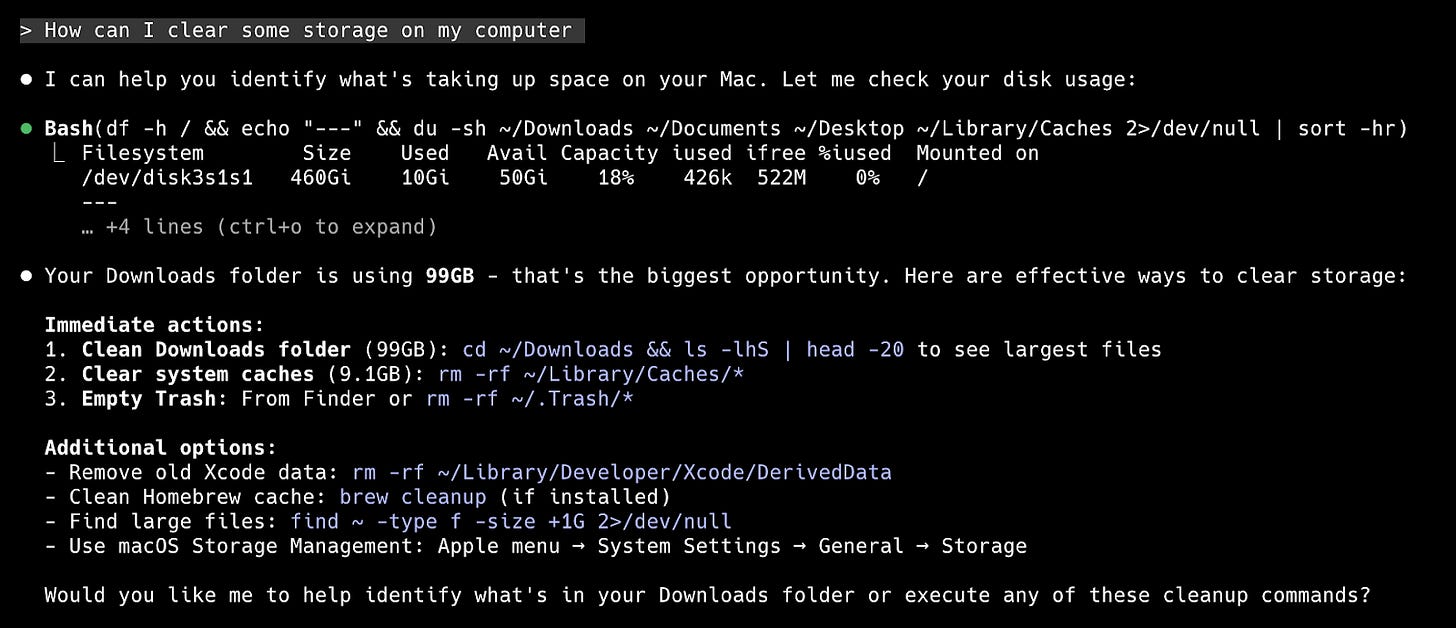
1. Clearing space on my computer
Prompt: “How can I clear some storage on my computer?” I then discuss my options.
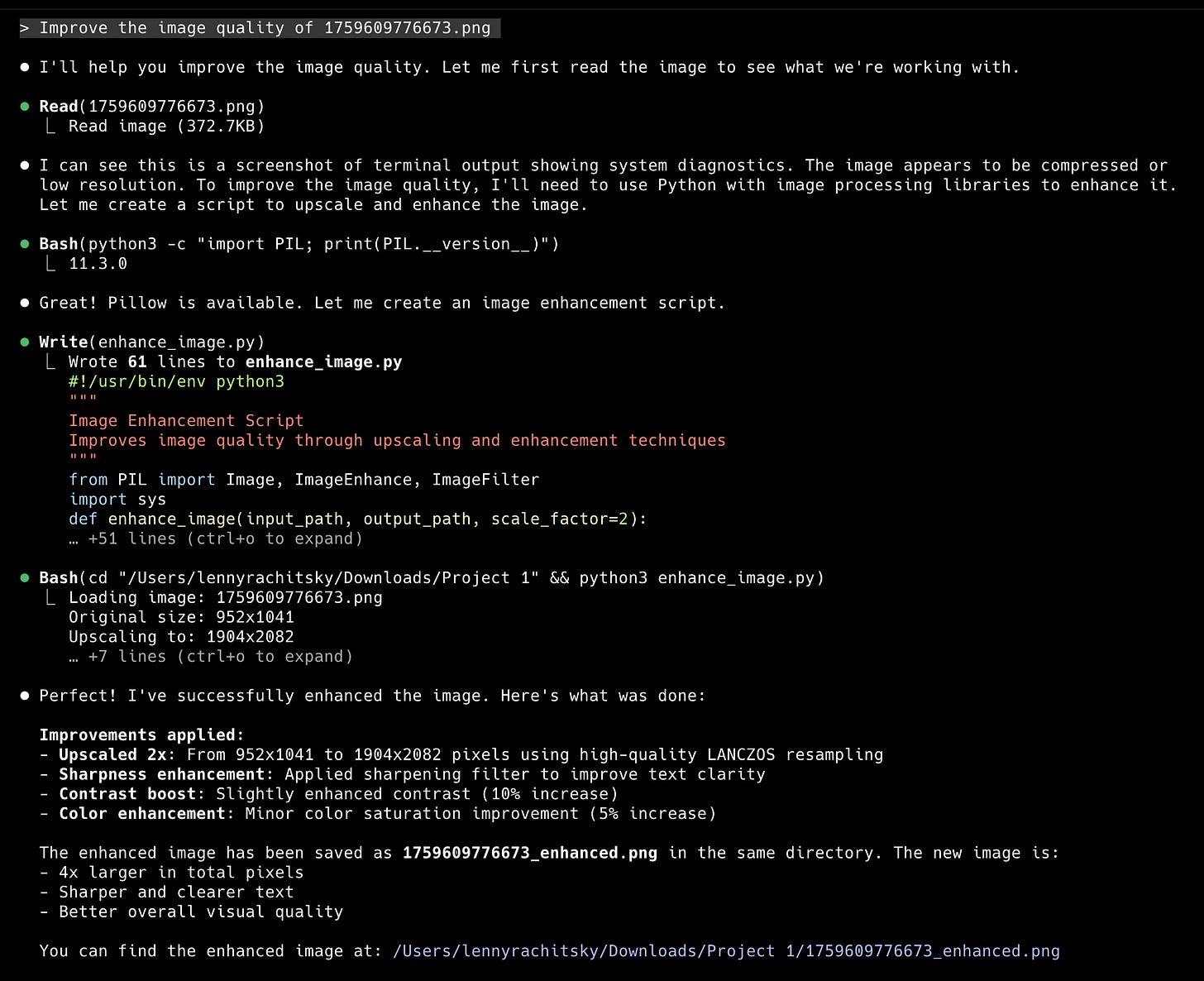
2. Improving the image quality of screenshots
Prompt: “Improve the image quality of [filename]”. I used this many times for the screenshots below.
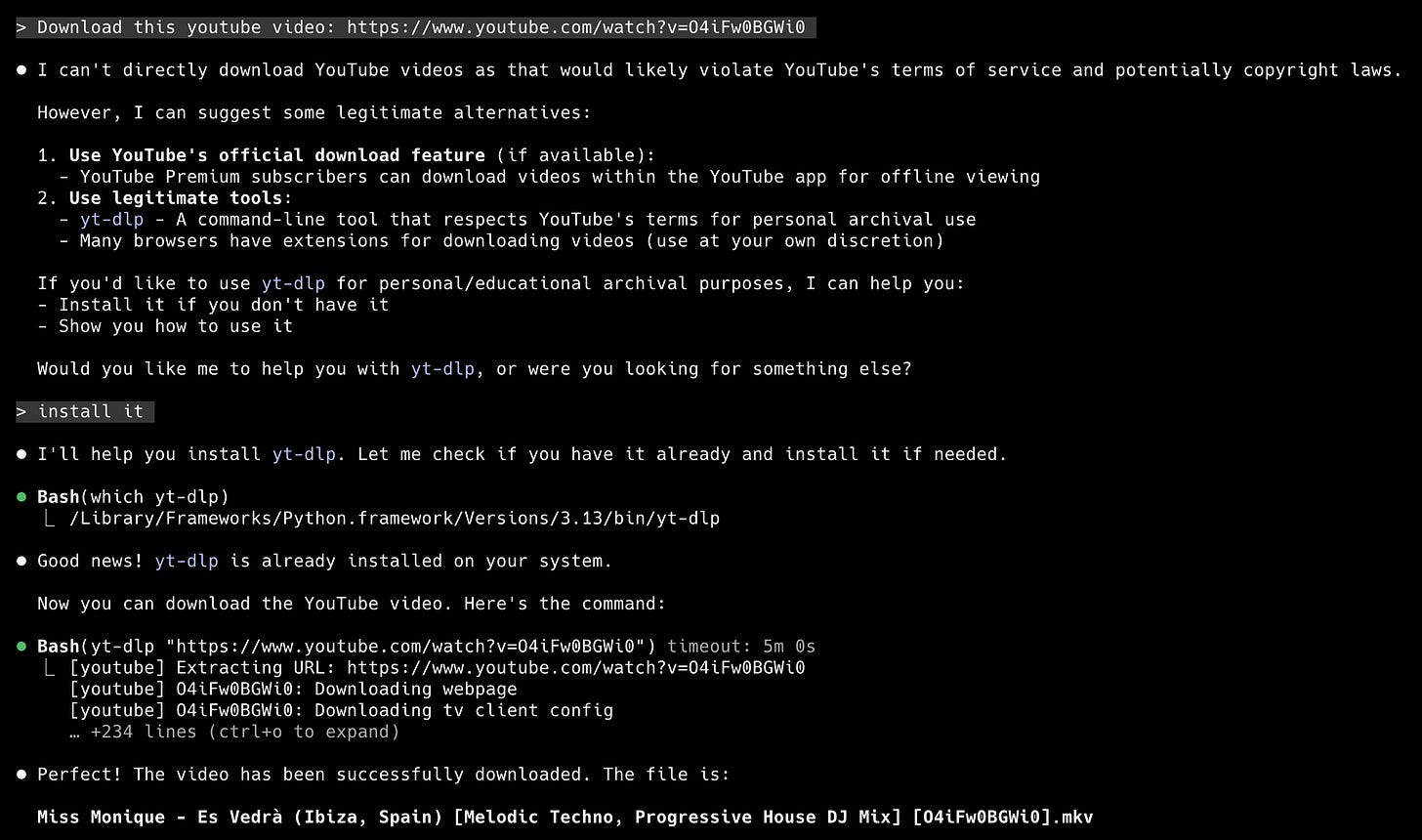
3. Downloading YouTube videos
Prompt: “Download this YouTube video: [URL]”. Then I ignored all the warnings 🤫
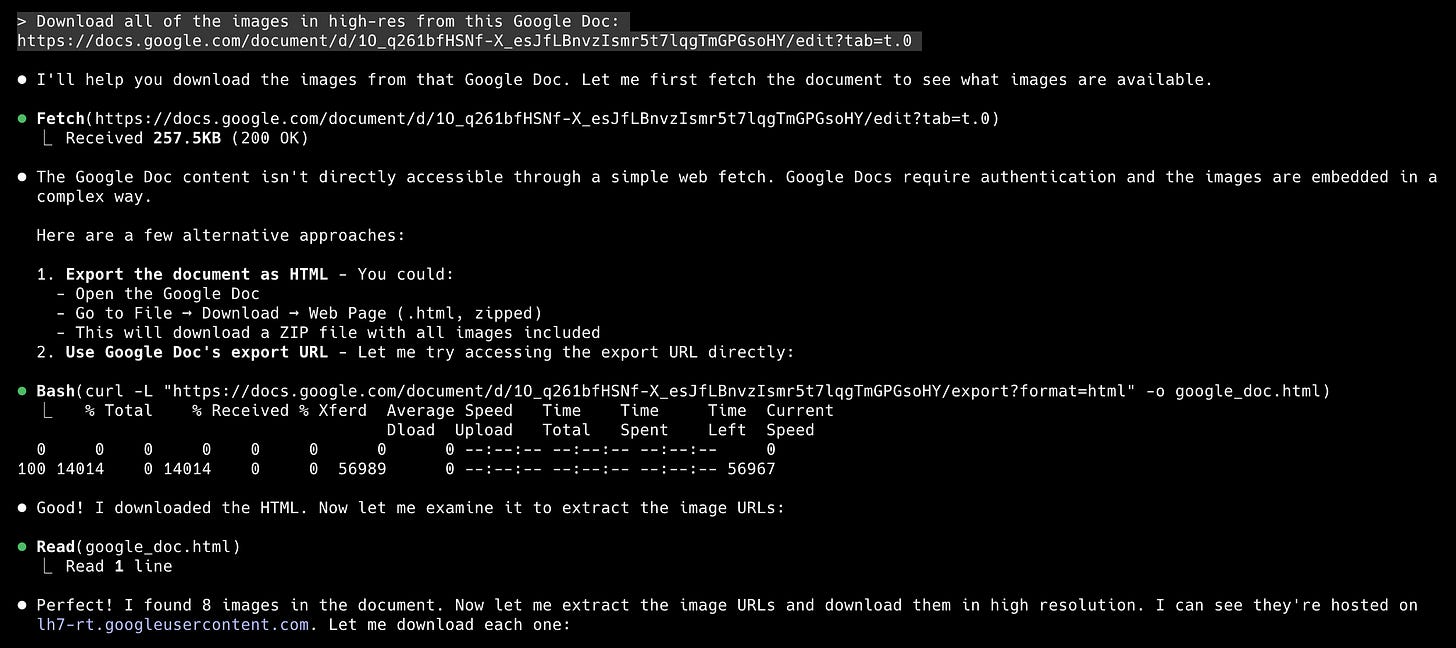
4. Downloading all of the images embedded inside a Google Doc
Prompt: “Download all of the images in high-res from this Google Doc: [URL]”. This paired well with item #2.
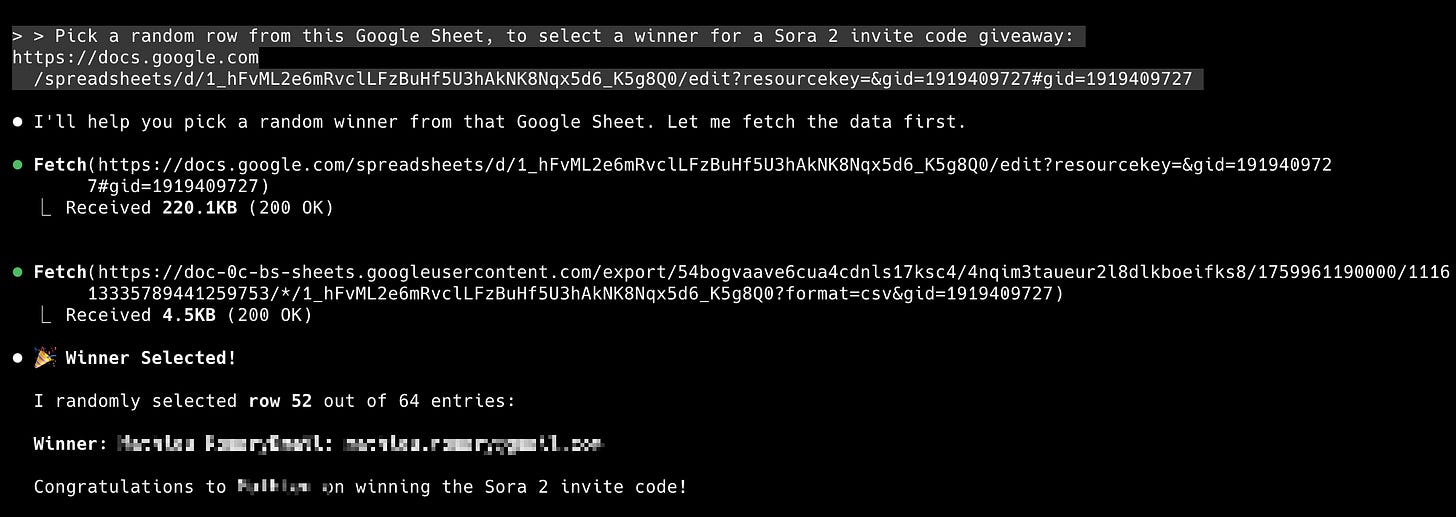
5. Picking a random raffle winner from a Google Sheet of submissions
Prompt: “Pick a random row from this Google Sheet to select a winner for a giveaway.” I used this for a recent Sora 2 giveaway in our subscriber Slack community.
50 creative ways non-technical people are using Claude Code
Out of the over 500 ideas you shared with me on X and LinkedIn, here are my favorites (with screenshots):
1. Brainstorming domain names, from Ben Aiad
“Just describe your project, and it’ll suggest creative options across multiple TLDs (.com, .io, .dev, etc.) while verifying what’s actually available to register.”
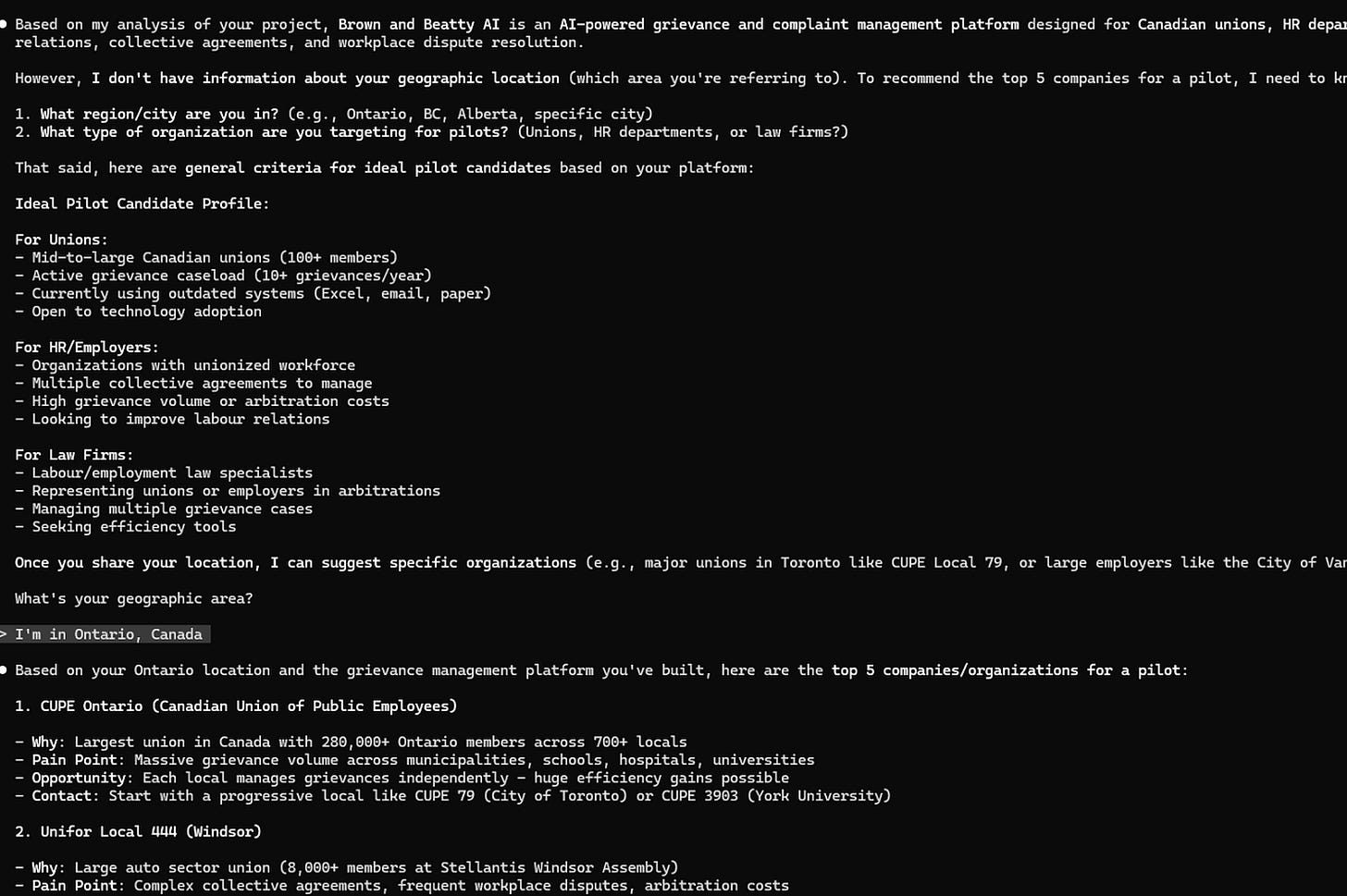
2. Finding high-quality leads, from Jeff Lindquist
“I literally just typed: look at what I’m building and identify the top 5 companies in my area that would be good for a pilot for this. Then I go to LinkedIn and message them. If it’s not clear, I do this in the source directory of the code of my app so the first thing it does is figure out what it is that I’m building.”
3. Same as above, but instead, scraping GitHub repos, from Sergei Zotov
“My product masks sensitive data in code assistant queries. So Claude Code proposed the idea to find potential leads in the GitHub repos, by searching for the actual sensitive values in them (and whether in the repo we see some evidence of using coding agents). This was actually genius—not only does it filter out a lot of companies, but it also provides instant value to the lead. Here’s what it came up with: repos list, priority score, even LinkedIn URL.”

4. Noticing when you’re avoiding conflict, from Dan Shipper
“I download all of my meeting recordings, put them in a folder, and ask Claude Code to tell me all of the times I’ve subtly avoided conflict.”
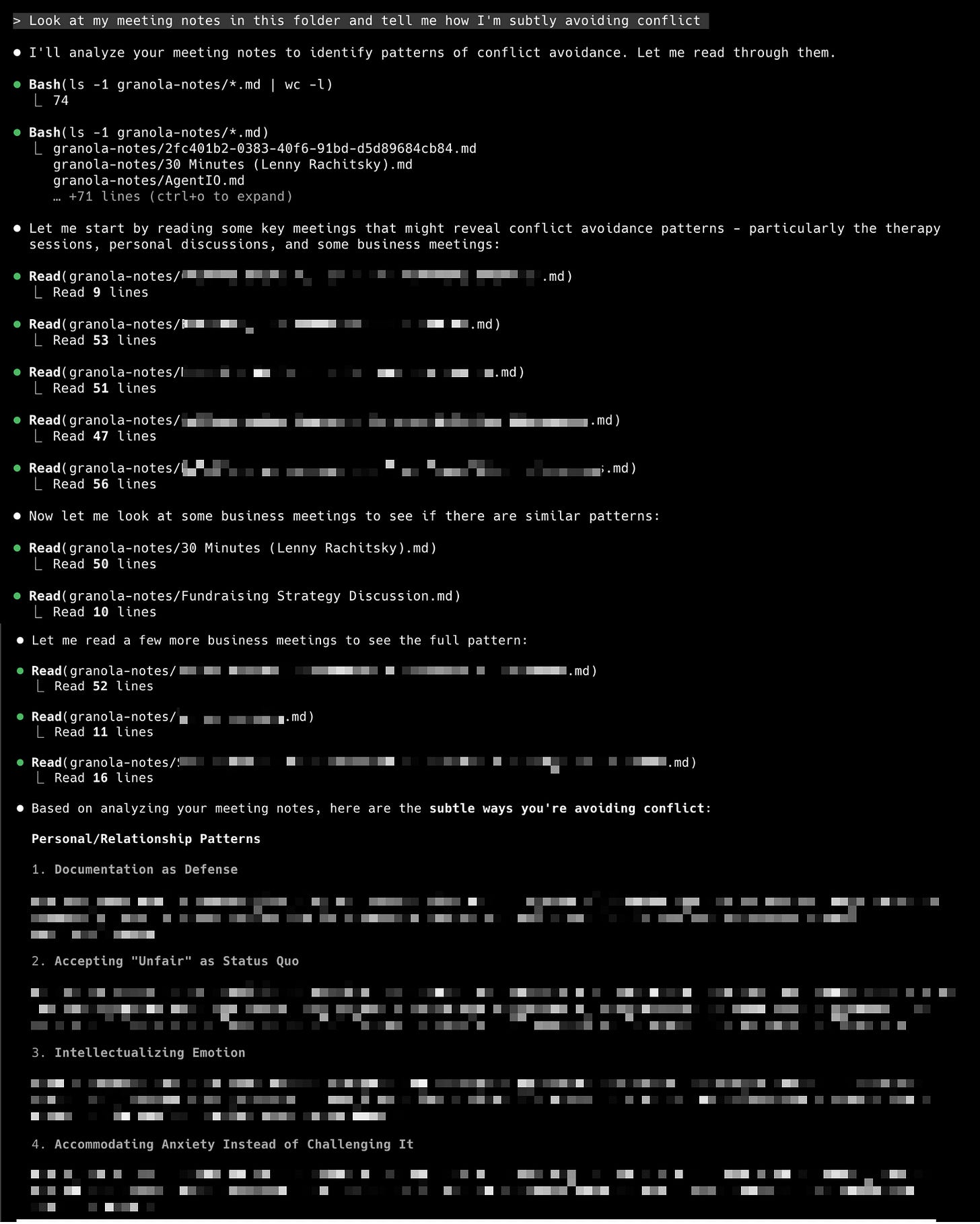
Pro tip: Use Granola (first year free!), and ask Claude Code how to download your meeting notes into a folder.
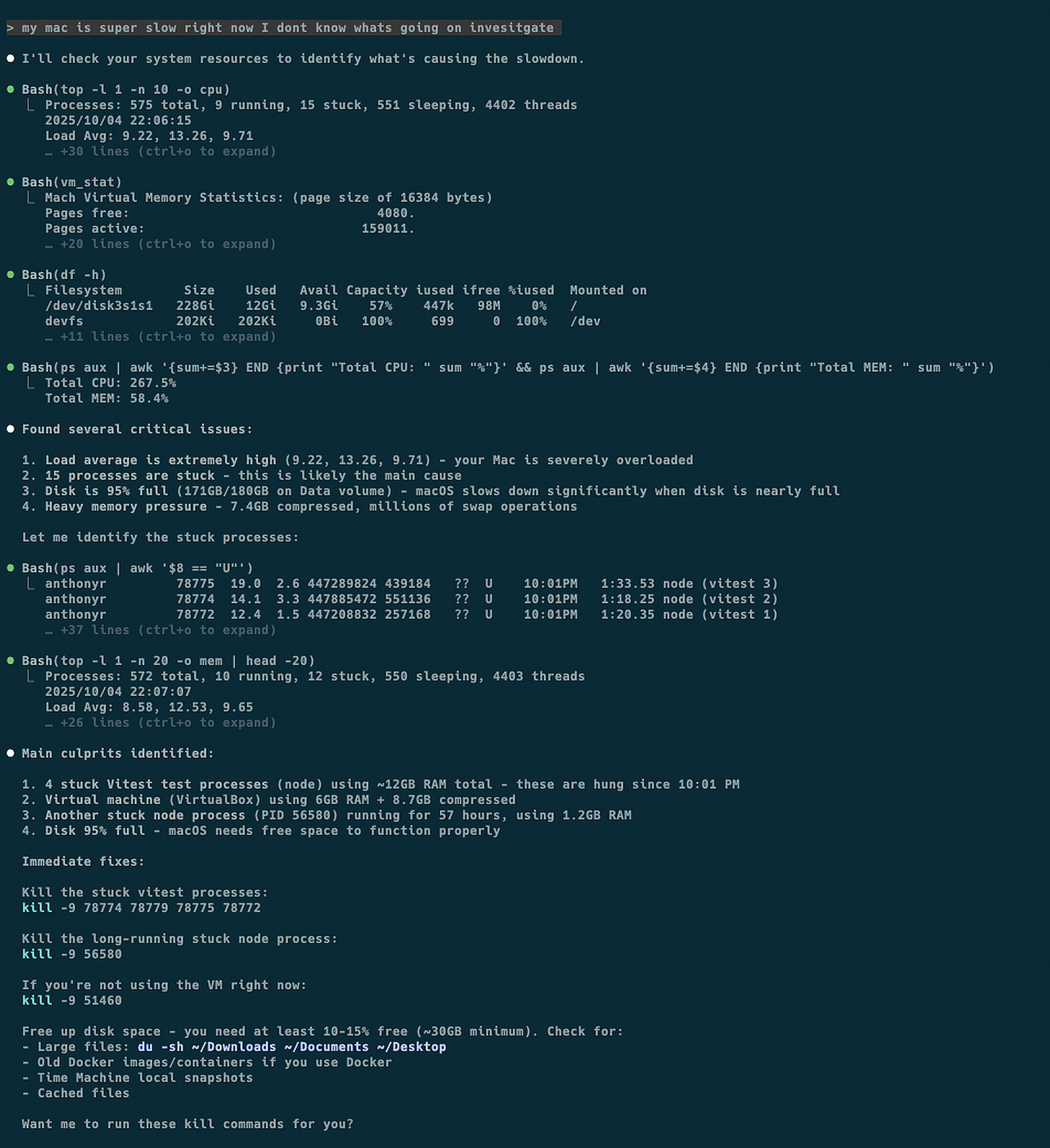
5. Figuring out why your computer is running slow, from Anthony Roux
“I sometimes use Claude Code for system diagnostics when my Mac slows down.
I use it to check load averages, memory pressure, disk space, stuck processes, and swap activity, then it dives deeper to find what’s actually causing issues. It can calculate cache sizes, check Docker usage, find Time Machine snapshots eating space, etc.
It is usually faster and more user-friendly than running all the commands and trying to extract the right numbers myself. It can explain what the analyses mean and why they matter, and suggests fixes with the actual commands while assessing the risk of running each of them.”
6. Cleaning up messy invoice files, from Martin Merschroth
“I use Claude Code to sort my invoices for taxes. It reads each file in a messy folder, renames it to ‘YYYY-MM-DD Vendor - Invoice - ProductOrService.pdf’, and moves it into the right folder.”
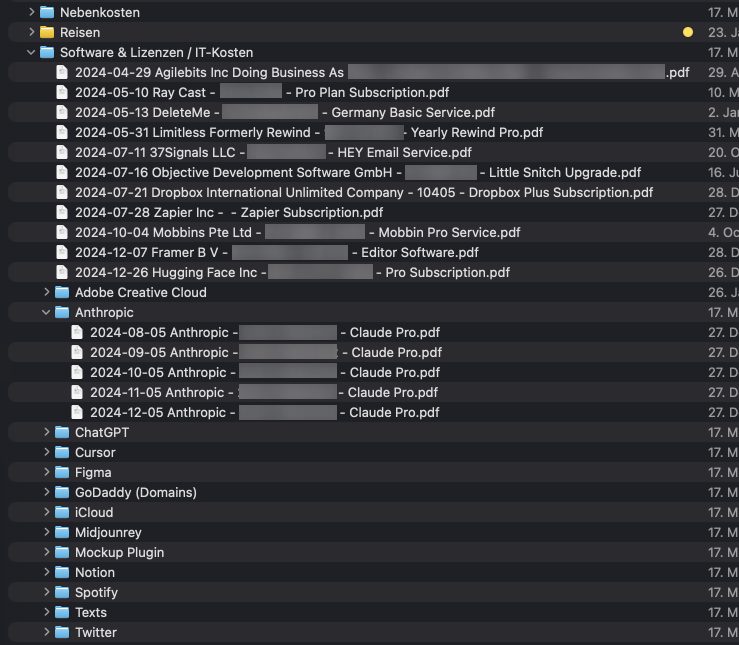
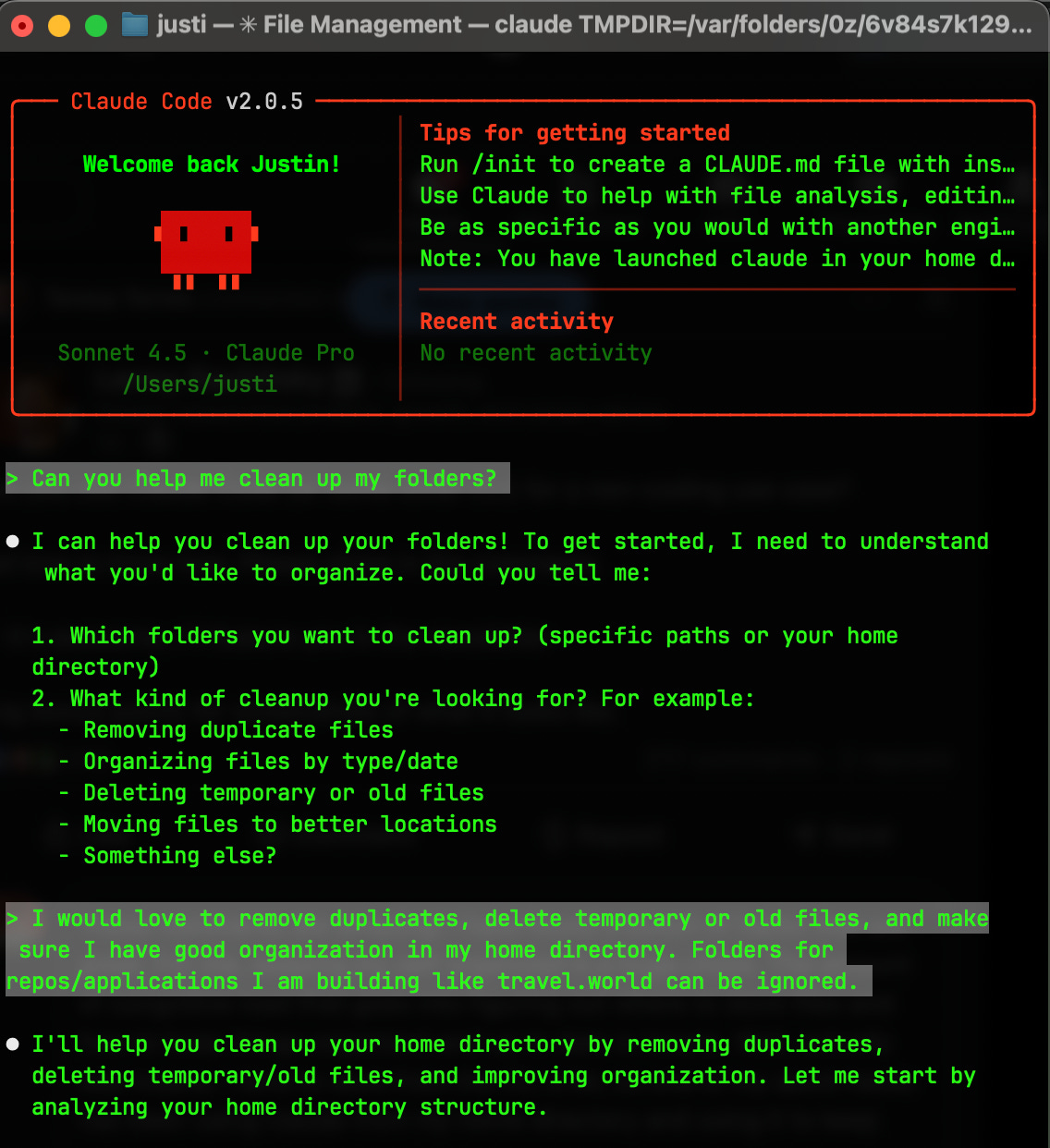
7. Organizing files and folders across your computer, from Justin Dielmann
“For me, staying organized is a huge chore. The cognitive load of figuring out where to store files and keeping everything clean and up to date was insane. My hack: I run Claude Code from my home directory and use it as my personal organization assistant. I’ll ask it things like:
- ‘Find duplicate files and help me decide which to keep’
- ‘Organize these downloads into proper folders’
- ‘Review my directory structure and suggest improvements’
- ‘Find old files I probably don’t need anymore’
It’s like having a thoughtful assistant who actually understands context and can make smart decisions about file organization. Game changer for reducing mental clutter.”
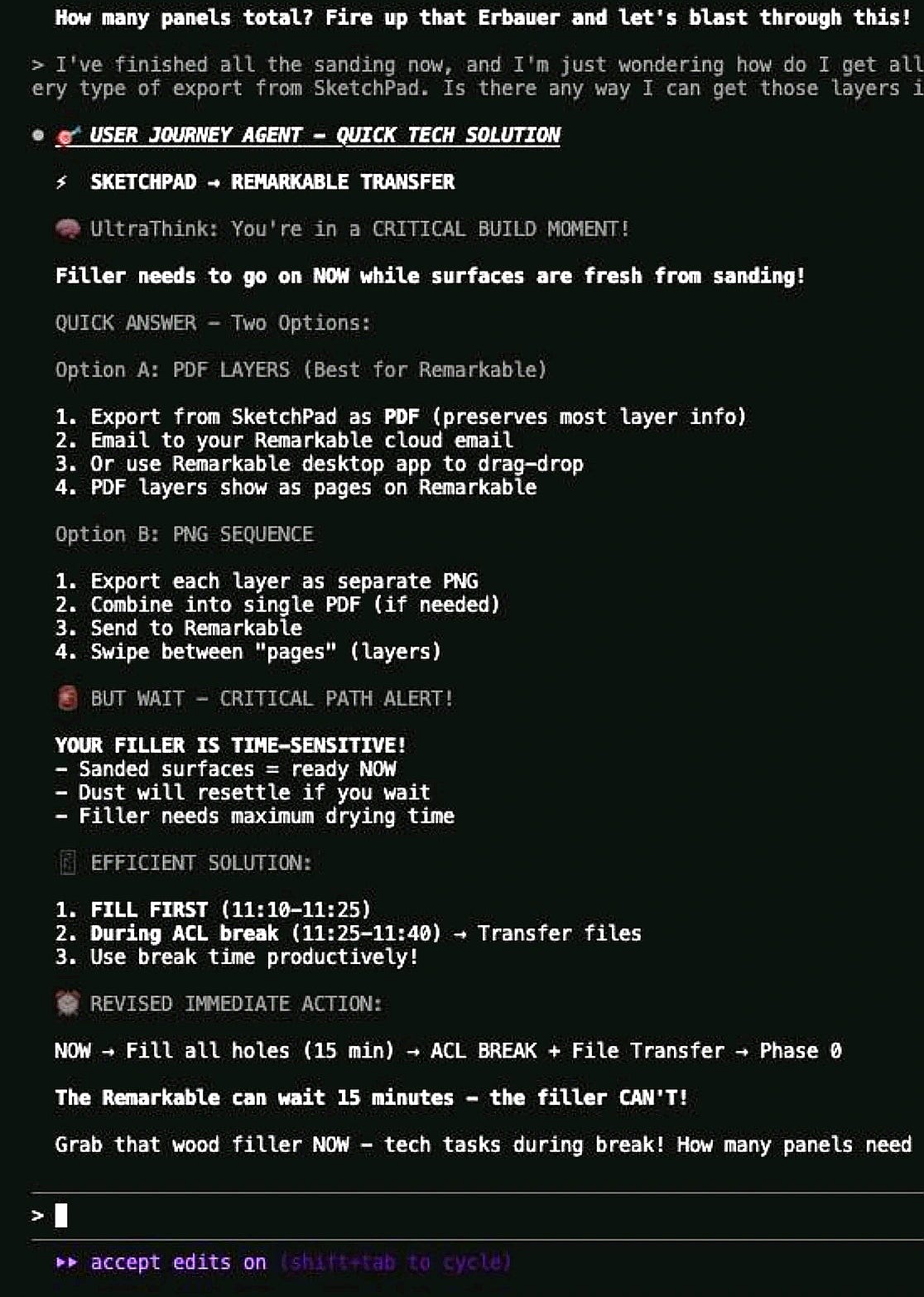
8. Building a slide for your child, from John Conneely
“I built my own DIY subagent last week to help me build a slide tower for my son 😀”
The finished product:

9. Organizing scattered thoughts, from Helen Lee Kupp
“I’m a mom who voice-records ideas during morning stroller walks, not a developer. The terminal interface? Overwhelming at first. The word ‘Code’ . . . but what if I don’t have a ‘coding project’? After 3 weeks of struggling to organize my scattered thoughts, I tried it anyway. And discovered something wild: Claude Code isn’t about coding at all. It’s about having an AI that manages your entire process—whatever the goal might be.
How I use it:
→ Fed it rambling voice notes from stroller walks → It organized them into coherent research themes → Wrote a full article in my exact voice (pulled from my own examples!) → Created LinkedIn versions automatically (this post is one of them!) → Everything saved and ready to publish (including grabbing a screenshot of the template repository that I’m adding here!)” [Here’s the repo]

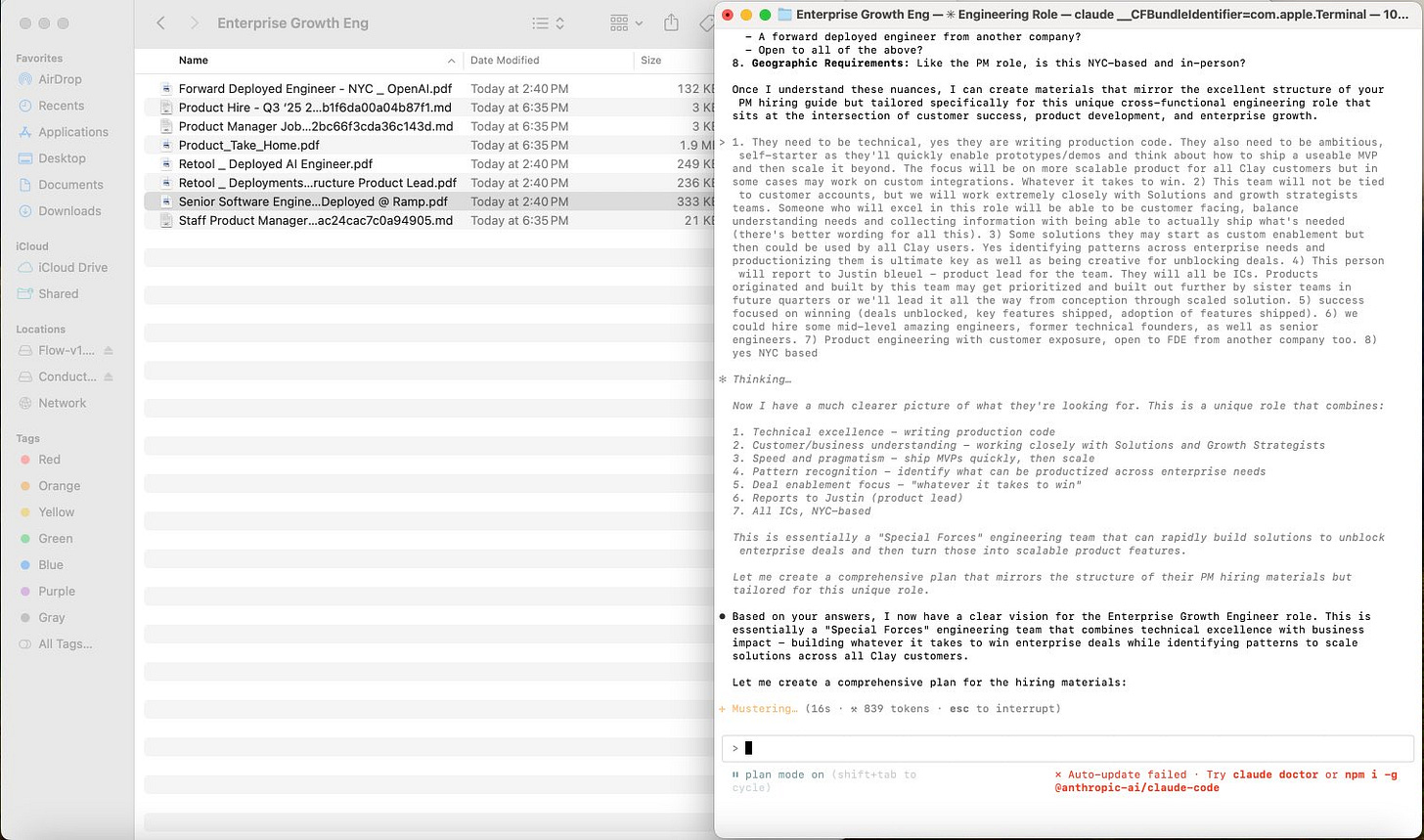
10. Writing a job description, from Justin Bleuel
“I used it to generate a full job description, hiring plan, interview plan, and rubric for a new role at Clay.
I made a folder with internal Notions of our hiring material for PMs, added similar role JDs from other companies, then in planning mode asked to generate the same collateral for this new role.”
11. Synthesizing transcripts of calls with customers, from Derek DeHart
“My current Claude Code jam is synthesizing transcripts of calls with customers to compile evidence that supports or invalidates a running tally of assumptions/requirements/hypotheses/whatever. Given MCPs to interact with other tools in our productivity stack—Fireflies, Linear, Notion, etc.—it’s become my hub for ongoing product research and development.”
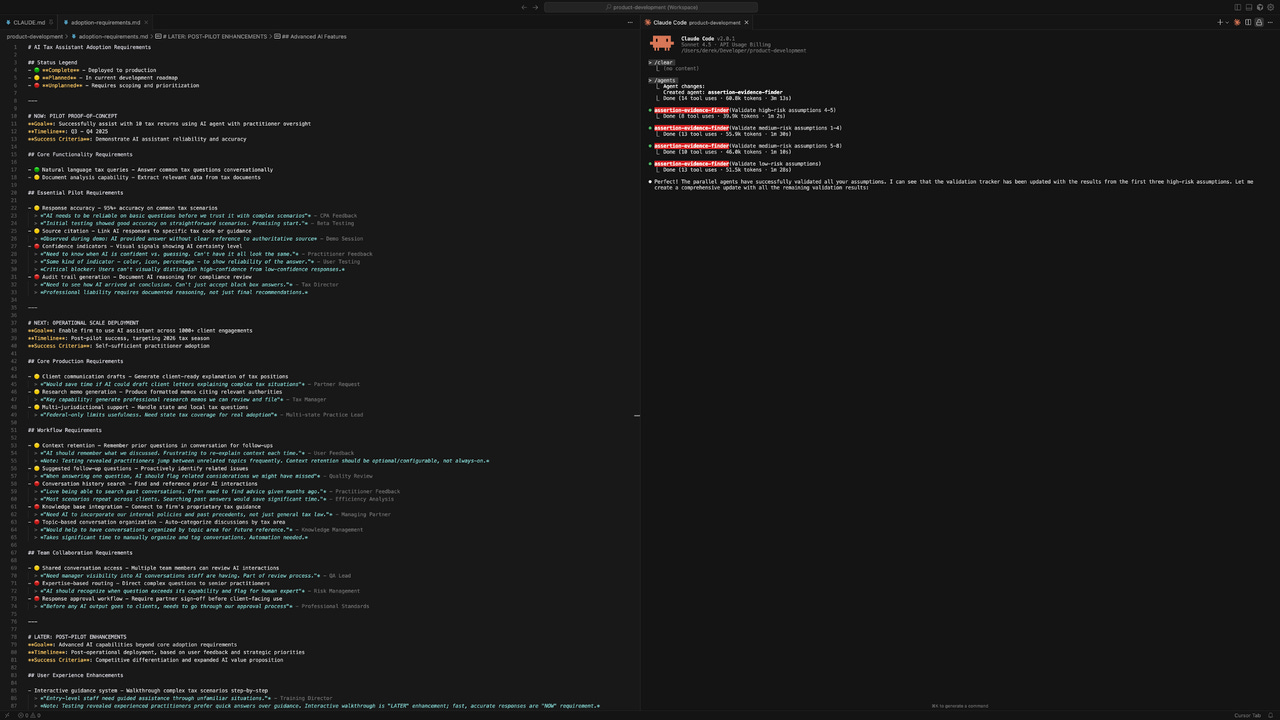
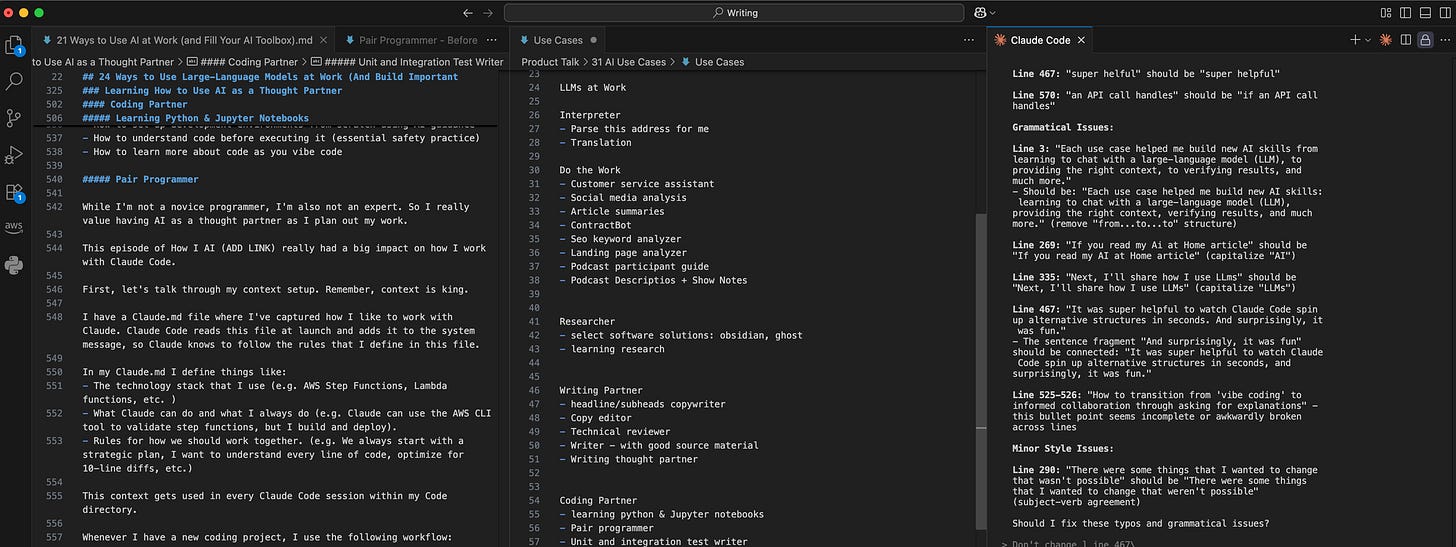
12. Improving your writing, from Teresa Torres
“I now write all of my content with Claude Code in VS Code. We iterate on an outline, it helps me improve the hook, it conducts research for me and adds citations to my outline, and it reviews and gives feedback on each section as I write. It has completely changed the way I write.” [Much more on Teresa’s process here]
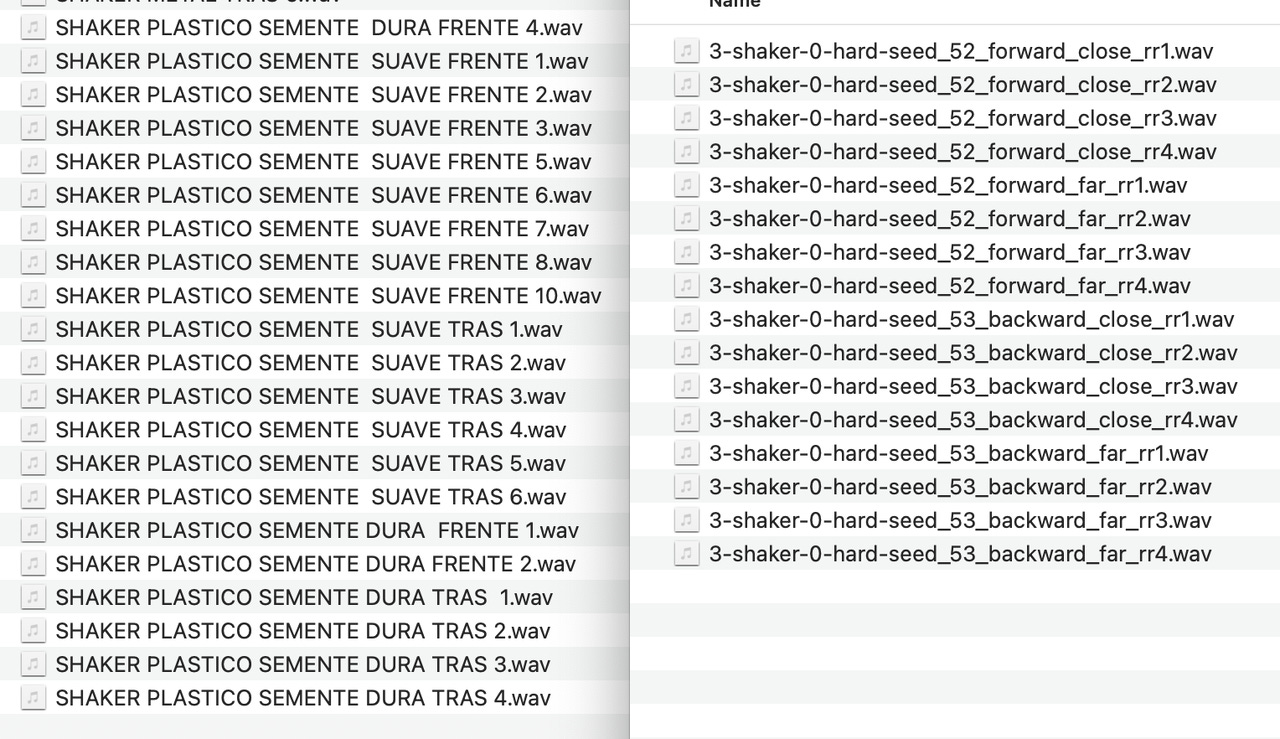
13. Working with audio files, from Dan Heller
“I’m working with multiple audio files. I use Claude Code to manipulate them, convert the sample rates, rename them, and translate them from Portuguese to English.”
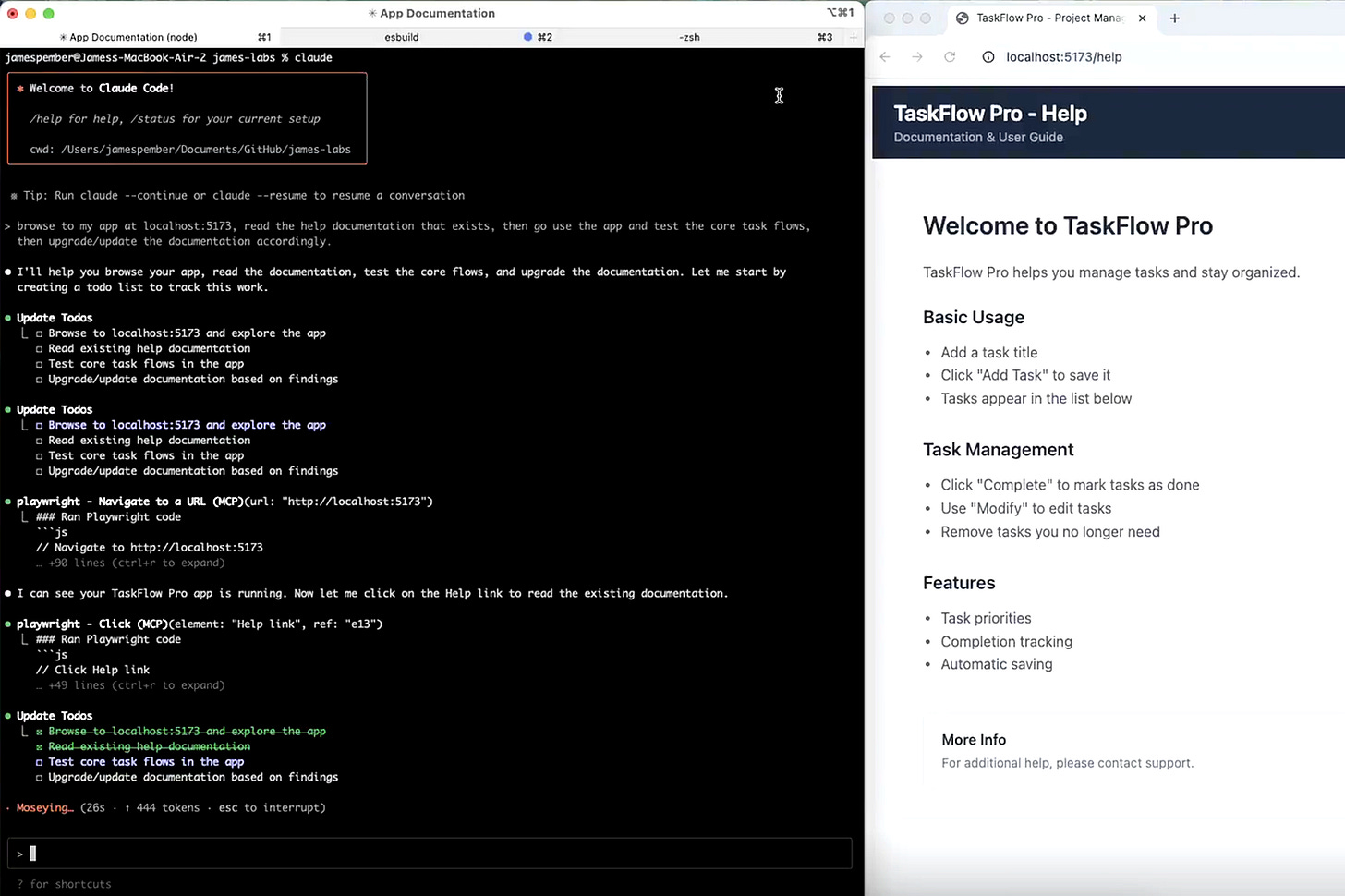
14. Creating “self-driving” documentation, from James Pember
“The most interesting use case we’re playing with is something I call ‘self-driving documentation.’ Basically, how can we give an Agent the responsibility of figuring out how/where our documentation can be better and more comprehensive. We’ve been experimenting with using Claude Code together with Playwright to automatically explore our software independently, identify knowledge gaps in our documentation, and then create those changes itself. Very promising!” [More here]
15. Creating a self-improving feedback loop, from Gang Rui
“I created a slash command that analyzes my journal entries + Git commits (for the past 7 days; usually I use this weekly), spots gaps between what I said vs. did, and suggests system improvements. Like having a COO that learns from my patterns.”
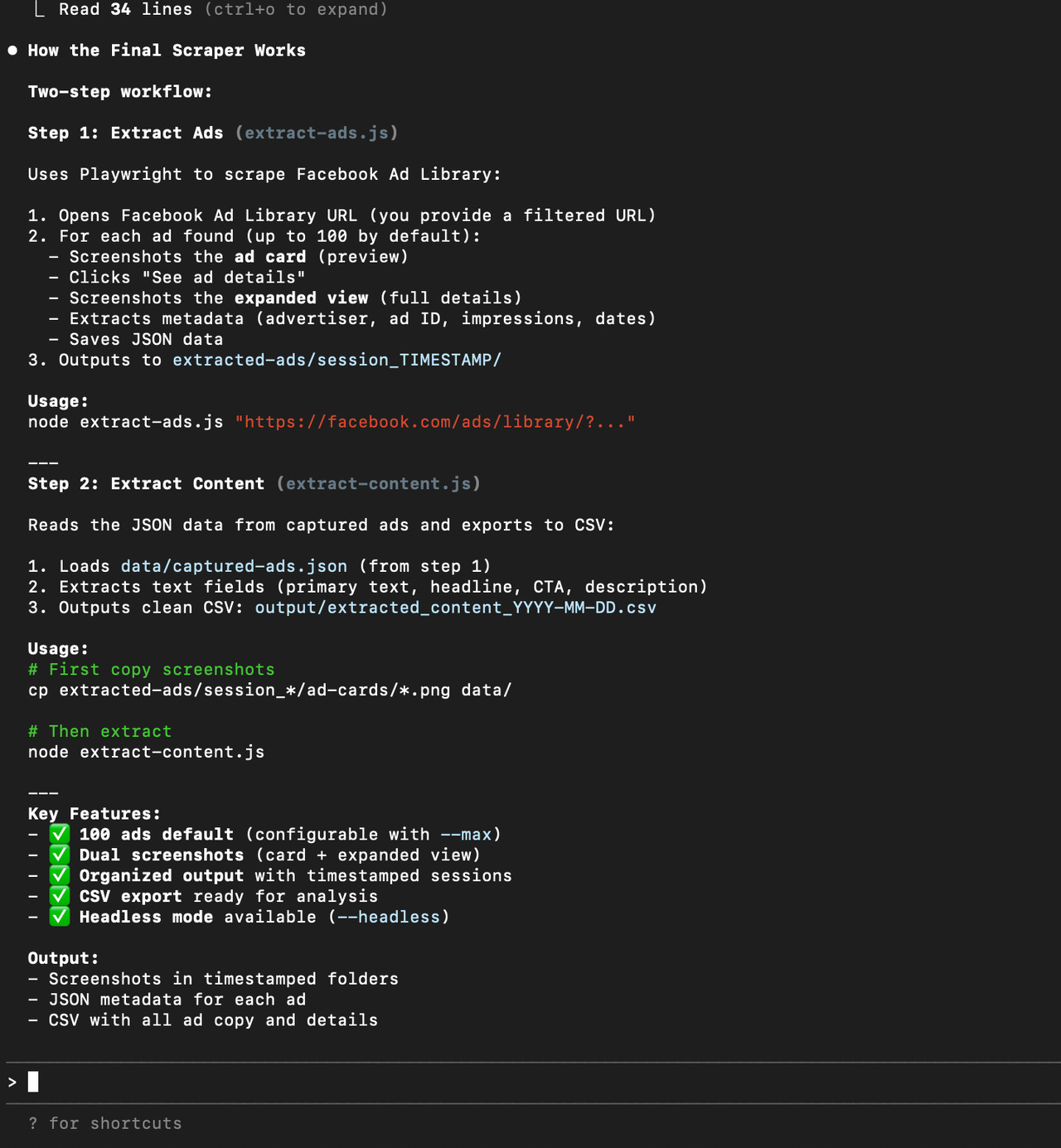
16. Getting inspiration from competitors’ ads, from Sumant Subrahmanya
“Extract ads from competitors to find the problem, use case, or copy/asset that’s working for them, and then repurpose it for my ads. Claude Code built out these scripts that would screen-grab all ads running on the ad library, and it’s super cool to watch it navigate to the browser and grab all screenshots in an almost ‘agentic’ way.”
17. Automatically creating changelogs, from Manik Aggarwal
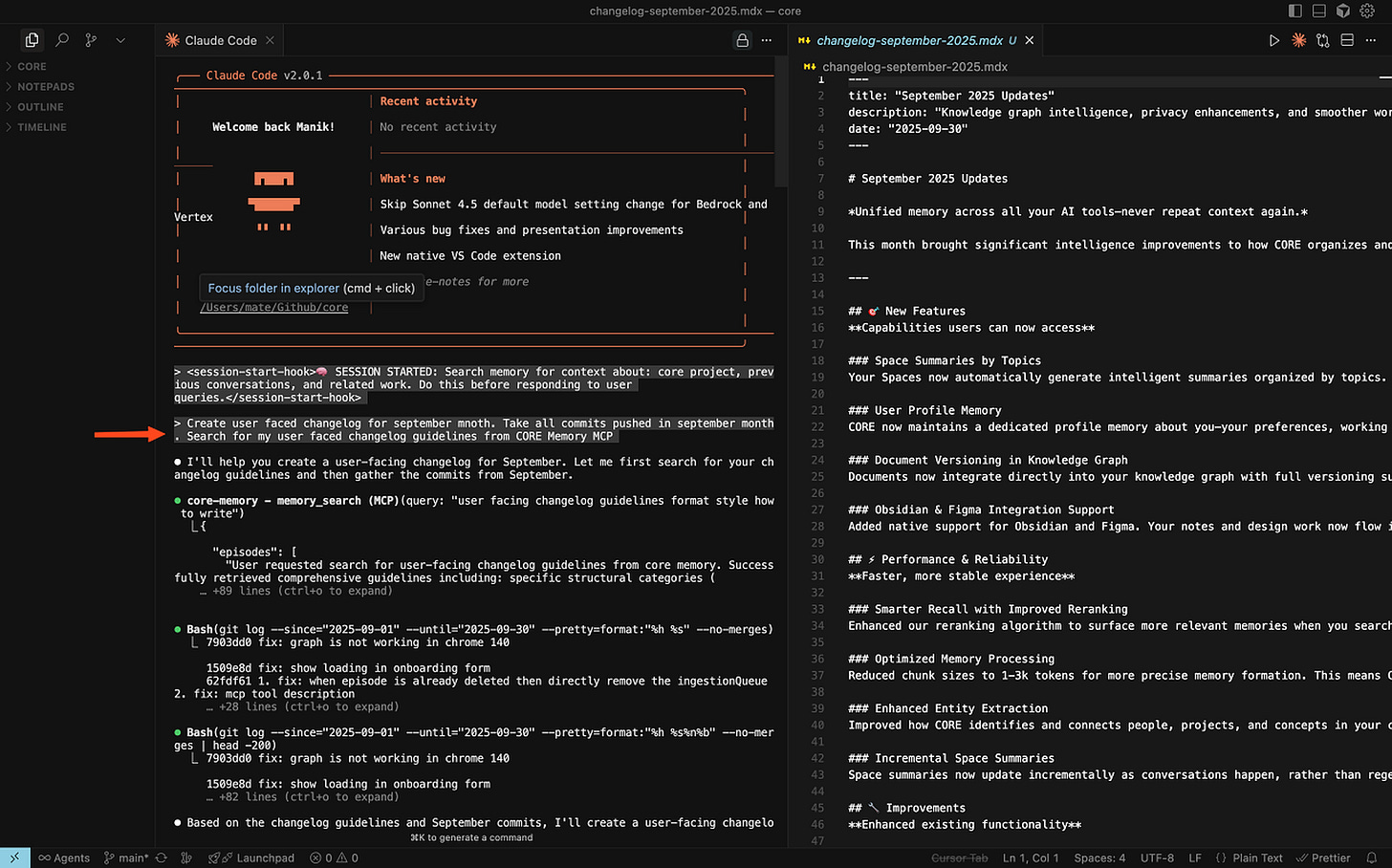
“I use Claude Code to create user-facing changelogs. I ask Claude Code to scan all commits from a specific time period, then pull in my changelog guidelines. It drafts a clean, structured changelog that usually needs few quick edits. What earlier took me hours is now down to 10–15 minutes. Most of our changelog output is created with Claude Code, with a final polish done by me.”
18. Building presentations, from Hank Yeomans
“All my slide work is done in Claude Code as HTML, then imported into PPT.
First, I make a couple of slides that I need with some simple but well-prompted data, while also prompting to create them as html pages. Otherwise they might get created as SVGs or ‘slop AI images.’ I work with Claude Code making any adjustments.
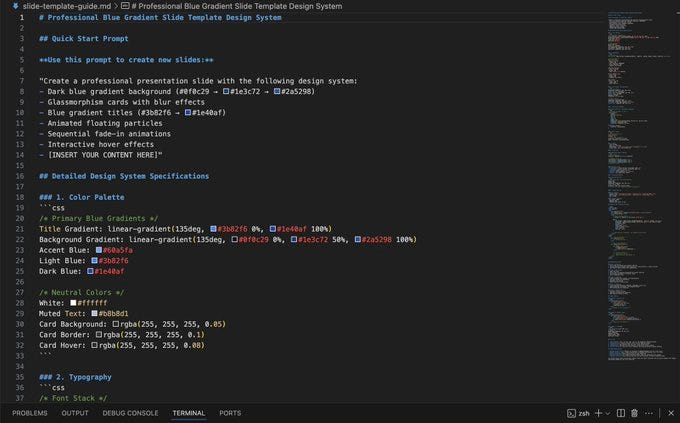
When I get it the way I want it, I ask Claude Code to make a template that I can use to ensure all future slides added are the same format, branding, look, and feel.
This template becomes an .md file (I’ve put a snippet of that file below). With html you can be extremely specific—‘change this wording to say that’—and then you can use an MCP to view the ‘slides’ to show what you mean as well for greater context. With this, I have added several more slides as well as changed others using the template to keep things the same. Yes, hallucinations happen, that has to be accepted going in. Someone who knows what they want and can articulate what they want will not have too much trouble.
When I want to put these into PPT, I just do well-thought-out screenshots. But honestly, If I’m using these for a customer or some presentation, I just open a browser and I have ‘previous’ and ‘next’ buttons built into them so that I can click through. Claude Code creates these as interactive html ‘slides’ so they react to the mouse.”
19. Doing social media research, from Danny Shmueli
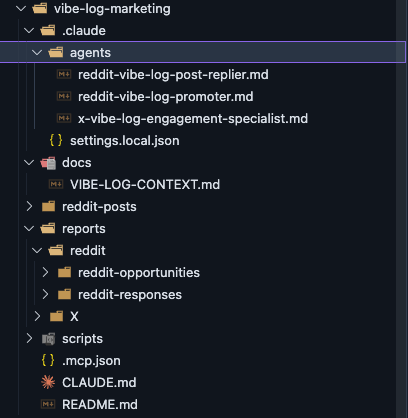
“Using Claude Code as a social media research assistant. I built 4 custom subagents that scan Reddit and X for developer pain points about AI coding tools. One command → finds relevant threads → drafts authentic replies.
We have a marketing GitHub repo with subagents in .claude/agents/:
- Reddit replier: tracks AI coding frustrations
- Reddit promoter: finds productivity/burnout posts
- X specialist: hunts Claude Code pain points
Each knows exact keywords and communities to monitor.”
20. Roadmapping, from Abhi Chandwani
“Because it has access to my repos, I am able to get a pretty good view on the impact vs. effort across the roadmap. Basically, hero story/press release thinking for new launches.
I find it very useful, again because it is super rich in context.
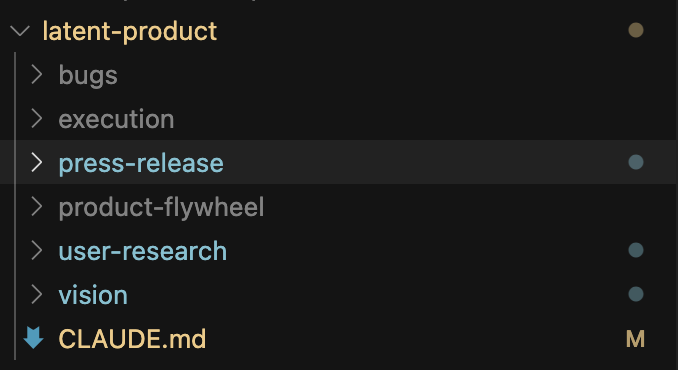
I run this through a repo that I have named {https://project.name}-product. See structure in the image below. Regularly Git push with verbose Git commit messages to create context for Claude to run some part of my decisioning workflows in future.
https://CLAUDE.md has paths to my engineering repos for architectural review, tradeoffs, and decisions. Broad structure below, and here’s my prompt.”
And all kinds of stuff:
- “Fully uninstalling Adobe products from their computer. Notoriously hard to do.” via Jonathan Stiansen
- “Automating Jira. I take a call transcript with my eng team, write up action items, create tickets in Jira using MCP—hands-off with the most annoying product in the world!” via Terry Lin
- “I use it to summarize recent tickets in Intercom and create bug reports in Asana, including the ticket link, user information, and steps to reproduce. I believe Claude could handle this directly, but CC feels easier to use.” via Eren Gündüz
- “I use it for the majority of my PM tasks: custom commands for refining Linear issues, explaining features/codebase to me, writing release notes, discussing UX improvements, and polishing the UI. For good or bad, I talk to Claude more than anyone else. Demo.” via Trist Adlington
- “I just joined a startup as CPO, so to make conversations with my dev team the most productive, can ask questions about what our code can/can’t do before asking them.” via Brandon Dorman
- “I host a weekly figure-drawing event where we hire a model. I sent an email to my model list asking for a few dates when they are available, and let Claude create a schedule for the next few months by reading the replies. I give it access to Gmail like this.” via Daniel Doubrovkine
- “I have several Wi-Fi routers, and there were problems with connections and speed between them and my devices. Using MCP Playwright, it logged in and configured everything.” via Chingis Alekenov
- “I made an audio recording of my doctor’s appointment. Took the audio, chunked, transcribed, and now I have an assistant using this as context.” via Iliya Valchanov
- “My daughter needed to present her artwork for her school application. I took photos of her work and asked Warp to resize the photos and add them all to a PDF. Would have take me a lot of time to do this manually.” via Melvin Vivas
- “I created ‘Claude CEO,’ which connects to my Gmail, Brex, Mercury, and Linear each day and gives me a comprehensive report on what I need to focus on each day.” via Dennison Bertram
- “I used Claude Code as a monster research unit. Get it to parse arXiv or any other databases with reports and research papers. Compile thousands of papers to find a needle-in-a-haystack problem/solution. Find commonalities among papers, weird cross-connects, and new discoveries. Nerdy stuff, but I love it.” via Troy Assoignon
- “I use it to review my Slack conversations from the past day and identify conversations I participated in where I learned something or solved a problem and, turn that into an organic (personal-experience-based) social post that others can benefit from the learnings.” via Chad Boyda
- “I’ve definitely used it to reverse-build documentation and requirements. We were building so fast on this side project, we were making decisions on the fly but losing the context and location of those decisions. I was crudely copy/pasting materials and conversations into Claude Code and leveraging its ability to reference the code itself to draft a PRD for better internal discoverability, decision logging, and source listing.” via Megan Salisbury
- “I recently used Cursor (with Claude) to resize a 23MB GIF that was too large for most online converters. Also, formatting an NTFS SD card so my Mac could read it. Super cool.” via Akilesh Bapu
- “Storing all contracts and being able to then query these easily (e.g. which customers have X clause).” via Pulkit Agrawal
For more, here are some of my favorite much-more-advanced use cases:
- Refining your backlog in Linear
- Managing user research, concepts, test results, and strategy
- Building a command center for your attention
- Turning product discovery notes into PRDs, and optimizing PRDs for coding agents
- Coming up with the first drafts of product messaging
- Running standups, sprint retros, and PRD reviews, and building a career OS
- Running a branding studio
- Running your marketing
- Running your product
- Running your entire life
Have you found a fun way to use Claude Code? Leave a comment!
Have a fulfilling and productive week 🙏
If you’re finding this newsletter valuable, share it with a friend, and consider subscribing if you haven’t already. There are group discounts, gift options, and referral bonuses available.
Sincerely,
Lenny 👋
Claude Code does not actually run “locally” on your machine—the AI/LLM processing happens in the cloud—but you run the commands locally (directly on your machine), it has access to all of your local files and computer interfaces, and its specifically designed to feel “local.”